
Different YouTube ad formats serve different marketing goals. Here is how to capture pre-rolls, mid-rolls, and non-skippable spots cleanly in one workflow.
Why format context belongs in your swipe file
Great creative strategists don't just collect random commercials—they separate skippable in-stream ads (which live or die in the first 5 seconds before the Skip button activates) from non-skippable 15-second spots and 6-second bumpers (built around single-punch awareness).
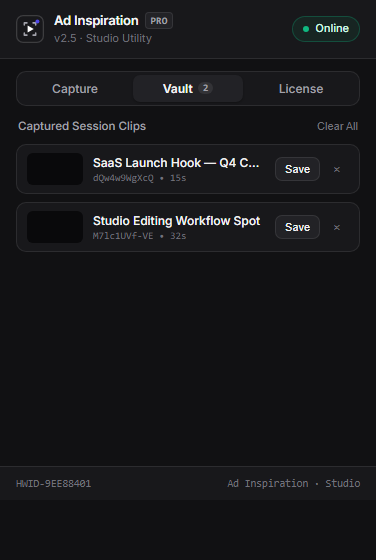
Capturing each YouTube ad format seamlessly
- Skippable In-Stream Pre-Rolls: Pause the video the instant a compelling hook starts or click Save 4K MP4 directly on the in-player HUD. Even if you click Skip Ad at second 5, pull the full ad afterward from your Session Ad Vault.
- Mid-Roll Ads Inside Long Videos: Watching 20–60 minute podcasts or industry breakdowns frequently surfaces high-budget direct-response mid-rolls. The HUD wakes automatically on mid-roll ad beacons without interrupting the creator video timeline.
- Non-Skippable 6s & 15s Spots: Because non-skippable bumpers finish fast, rely on the Session Vault tab right after the spot finishes rather than rushing to click while watching.
Simple naming habit after saving
Ad Inspiration Pro automatically prefixes saved clips cleanly (such as [AD] Brand_Name [2160p_4K].mp4). Adding a quick subfolder per format—01_Skippable_Hooks, 02_NonSkippable_15s, 03_6s_Bumpers—turns raw captures into an instant team reference library.
Try 3 Live 4K YouTube Ad Captures Free
Download the Windows companion (bundled FFmpeg) + Chrome extension and test 3 full-quality captures before picking Daily (₹29), Monthly (₹199), or 5-PC Agency plans.