
Performance marketers and motion editors see their best creative references unexpectedly right before a YouTube tutorial starts. The problem: skippable ads run fast, copying the page URL copies the creator's video rather than the sponsored ad, and firing up screen-capture tools loses crisp 60fps bitrate.
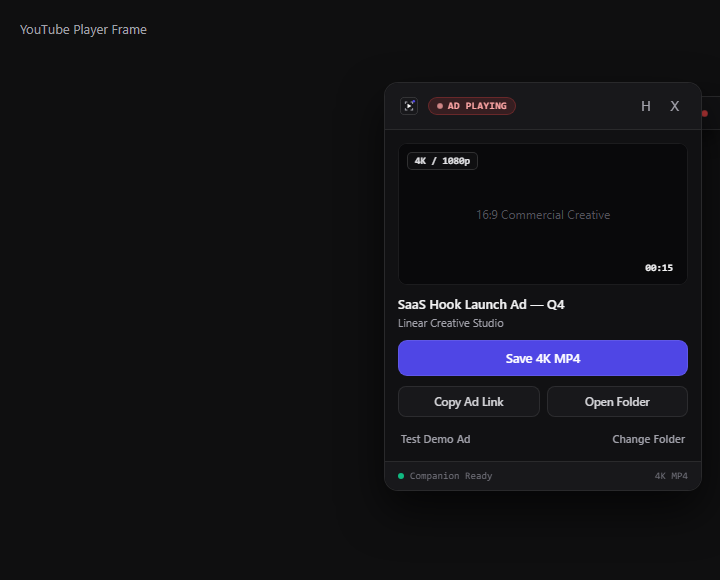
Why standard URL downloaders miss YouTube ads
When a commercial plays on youtube.com/watch, YouTube serves two separate streams inside the same tab. The browser address bar still points to the underlying creator video, while an isolated ad asset loads inside the player state. Standard video tools fetch the organic video in the address bar and ignore the sponsored creative completely.
How 1-click ad isolation solves this cleanly
- Automatic Ad Detection: As soon as an in-stream ad begins, our Chrome extension isolates the ad asset ID separately from the main video and logs it automatically in your local Session Ad Vault.
- Multi-Stream Local FFmpeg Muxing: High-resolution 1080p and 4K YouTube streams deliver video and audio tracks separately. Instead of compressing in a slow cloud queue, our Windows companion uses bundled local FFmpeg on
127.0.0.1to merge pristine audio + video straight into an edit-ready.mp4. - Recover Skipped Ads Anytime: Even if you reflexively clicked Skip Ad after two seconds, open the Vault tab in the Chrome extension popup to save recently detected ads from that browser session.
3 Free Trials + Transparent Plans Starting at ₹29/Day
Every installation starts with 3 Free Full-Quality Trial Captures with zero login or credit card required. Once you have verified speed and compatibility on your Windows workstation, you can pick a Single Device pass (₹29 Daily / ₹199 Monthly / ₹1,499 Yearly) or equip 5 editing workstations via Agency Pro (₹79 Daily / ₹499 Monthly / ₹3,999 Yearly).
Try 3 Live 4K Ad Captures Free
Download the Windows companion and Chrome extension package in under a minute.