
Stop digging through C:\Users\Downloads. Route captured YouTube ads directly into dedicated client project drives for instant NLE access.
Why default Downloads folders break editing workflows
Every editor knows the chaos of dumping reference clips, client logos, invoices, and screen recordings into one overflowing Windows Downloads folder. When a creative director asks for the fintech reference you pulled last Tuesday, hunting through 400 unrelated files wastes real billable hours.
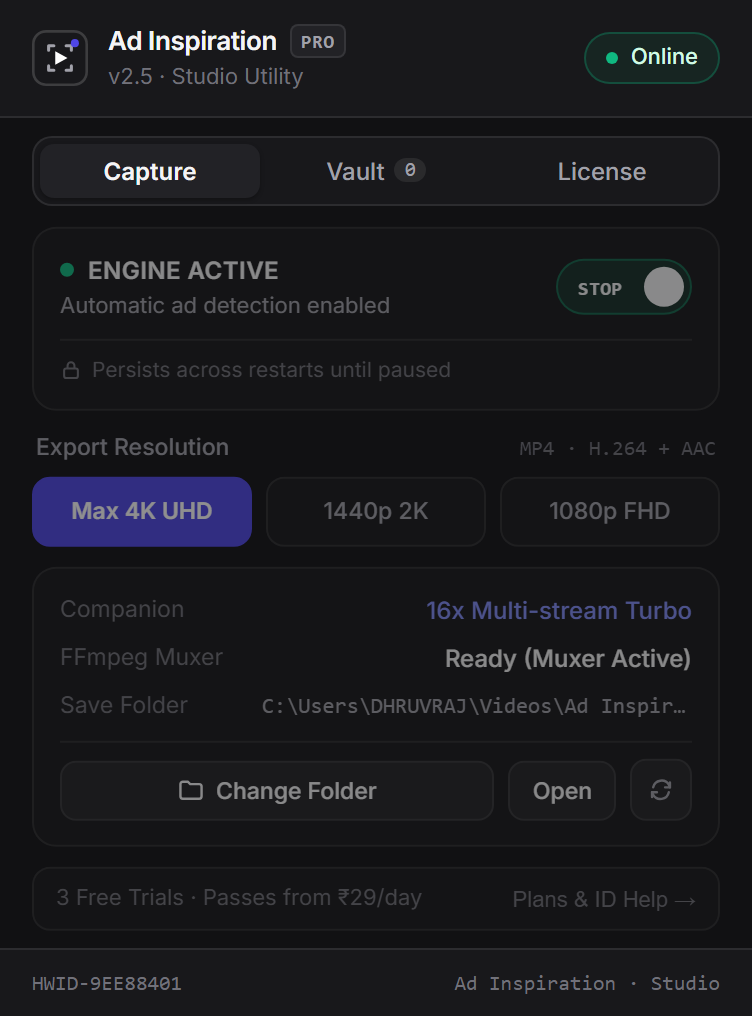
Setting up project-specific folder routing
By default, Ad Inspiration Pro stores captured ads in C:\Users\<YourUser>\Videos\Ad Inspiration\. However, inside the Capture Studio tab (or the live player overlay), clicking Choose Folder lets you redirect every new muxed MP4 directly into any non-system Windows directory:
- Create client-specific swipe directories on your fast editing SSD—for example
D:\Clients\Acme_FinTech\00_Ad_References\. - Before starting a research session for that brand, select that folder in the extension popup.
- Every captured MP4 lands ready-to-import in Premiere Pro's Media Browser or CapCut's local project bin—no manual drag-and-drop cleanup required.
Built-in safety against system path errors
For workstation safety, the local Windows companion validates save paths and blocks restricted OS directories like C:\Windows or Program Files, ensuring saved creatives always write cleanly to user-owned workspace drives.
Try 3 Live 4K YouTube Ad Captures Free
Download the Windows companion (bundled FFmpeg) + Chrome extension and test 3 full-quality captures before picking Daily (₹29), Monthly (₹199), or 5-PC Agency plans.