Screen recorders capture player UI overlays, mismatched frame rates, and double-compressed audio. See why direct DASH stream muxing wins for editing timelines.
Four hidden flaws of screen-recording YouTube ads
When creative teams need a YouTube commercial quickly, many reach for OBS, Loom, or Xbox Game Bar. While convenient for quick Slack previews, screen-recorded clips cause immediate headaches once imported into Premiere Pro or After Effects:
- Burned-in YouTube Chrome UI: The yellow progress bar, Skip Ad countdown box, advertiser card, and cursor hover artifacts cover the lower third of the creative.
- Variable frame rate (VFR) drift: Desktop capture tools frequently drop frames during browser GPU compositing, making frame-by-frame motion pacing studies inaccurate.
- Double compression artifacts: YouTube's streamed VP9/AV1/H.264 feed gets decoded to your display and re-encoded in real time, softening fine kinetic typography.
- Missed first two seconds: Reaching for a hotkey after an ad starts almost always clips the critical opening 1–2 second scroll stopper.
How direct local DASH + FFmpeg muxing differs
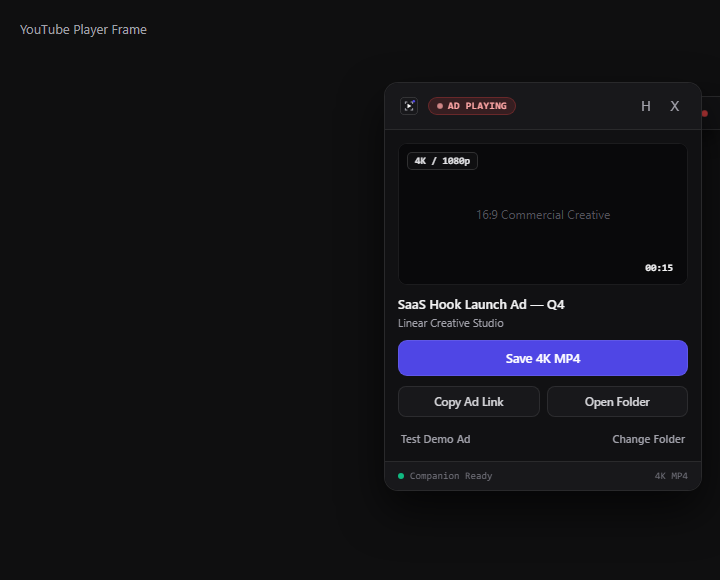
Ad Inspiration Pro never records your screen. Once it isolates the underlying commercial ad ID, the local companion engine retrieves the highest-resolution source video stream (1080p, 1440p, or 2160p 4K) alongside the matching audio track and merges them locally using pre-bundled FFmpeg.
The result is an uncropped, UI-free .mp4 file starting cleanly at frame 00:00:00 with crisp audio levels and zero desktop notification interruptions.
Quick comparison: Screen Recorder vs Local Muxing
- Frame 0 Accuracy: OBS misses the first 1–3 seconds; Ad Inspiration Pro captures from frame zero—even retroactively from Session Vault.
- Player Overlays: Screen recording bakes in Skip Ad buttons; DASH muxing delivers clean source pixels.
- Audio Fidelity: Loopback screen audio picks up system chimes; FFmpeg muxes clean source AAC audio.
- Resolution Cap: Capped by monitor scaling in screen capture; supports native 4K UHD even on a 1080p laptop display.
Try 3 Live 4K YouTube Ad Captures Free
Download the Windows companion (bundled FFmpeg) + Chrome extension and test 3 full-quality captures before picking Daily (₹29), Monthly (₹199), or 5-PC Agency plans.